ParityFlow
Read only reconciliation
Overview
ParityFlow compares the internal ERP records with the accounting system, side by side, and helps resolve the differences without ever writing to the accounting system.
A prototype on fictional data. Names, companies and figures in these screens are invented.
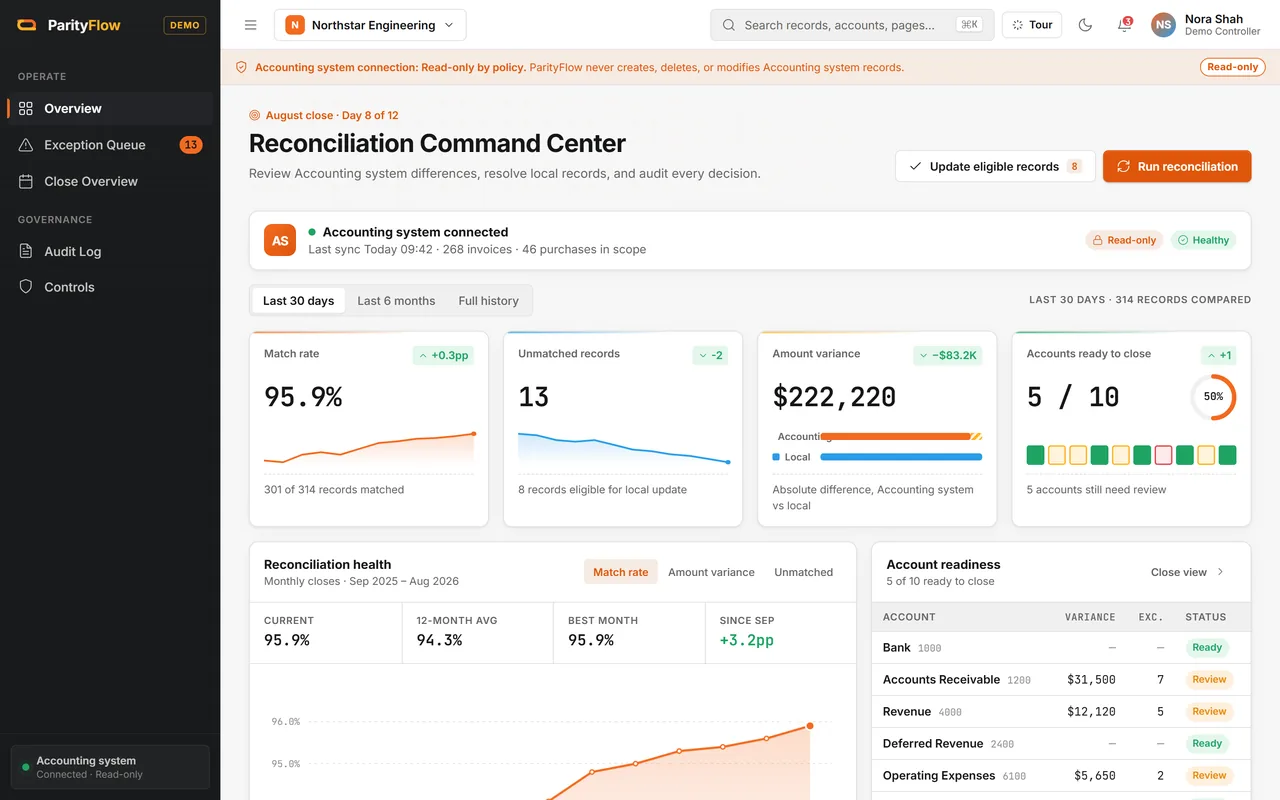
How well the books match
The overview shows how many records match, what is still unmatched, the size of the difference and which accounts are ready to close.
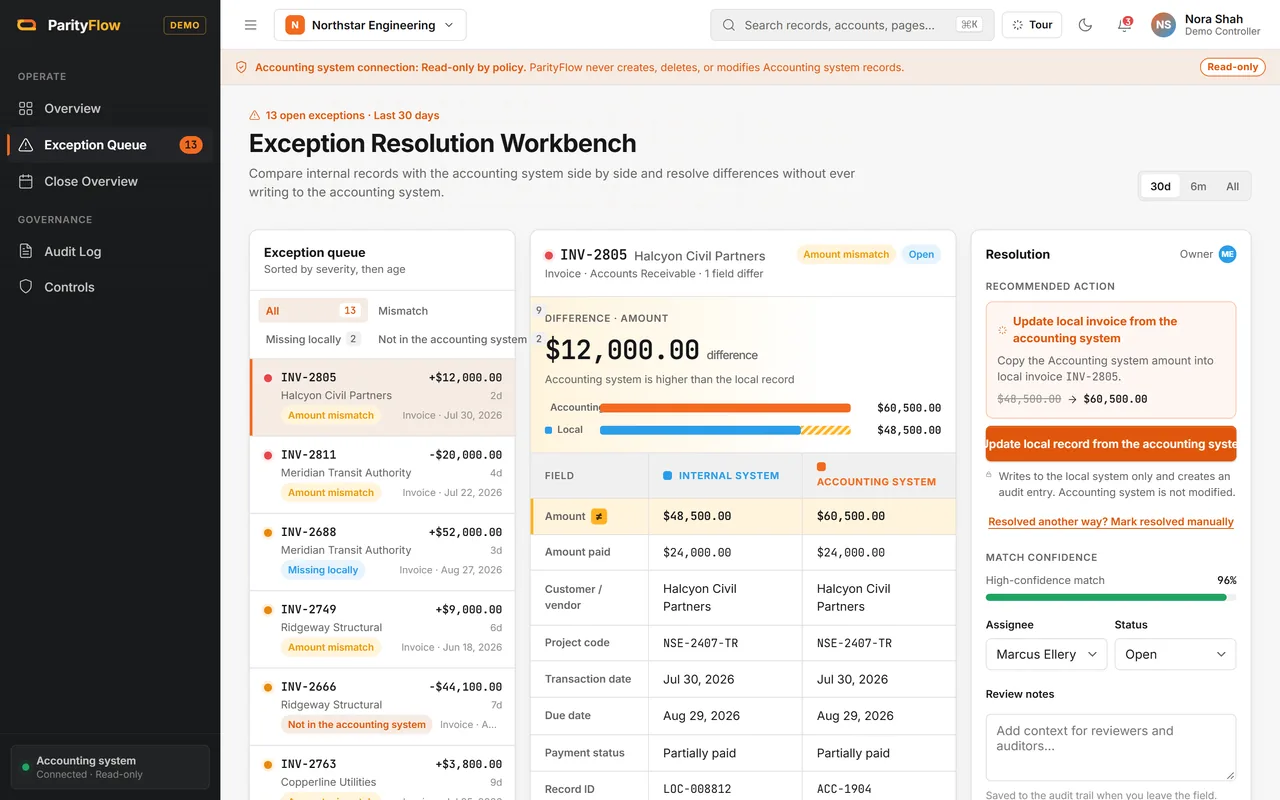
One queue for every difference
Differences are sorted by severity and age: amounts that do not match, records missing locally and records that are not in the accounting system. Each one opens side by side with a recommended action.
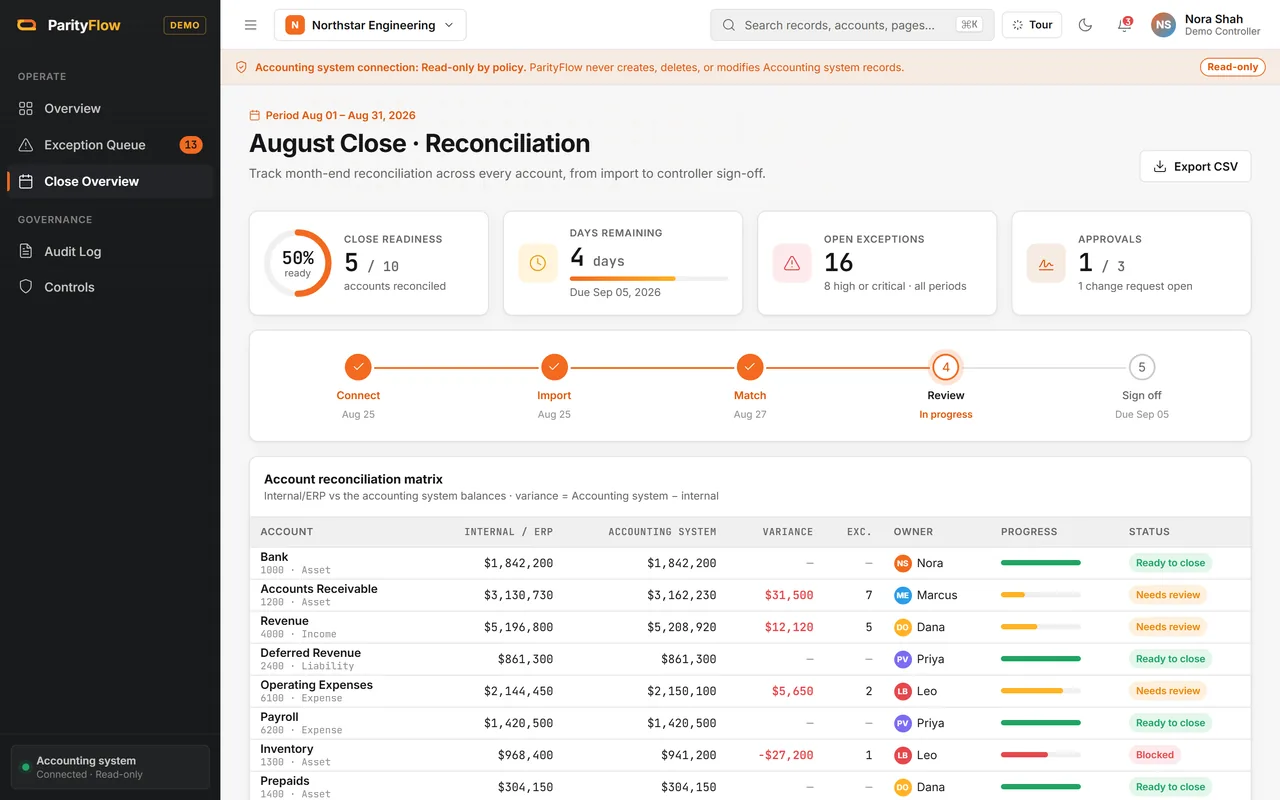
Month end close, account by account
The close view follows every account from import to sign off, with its owner, the difference between the ERP and the accounting system, and what is left to review.
Read only, by design
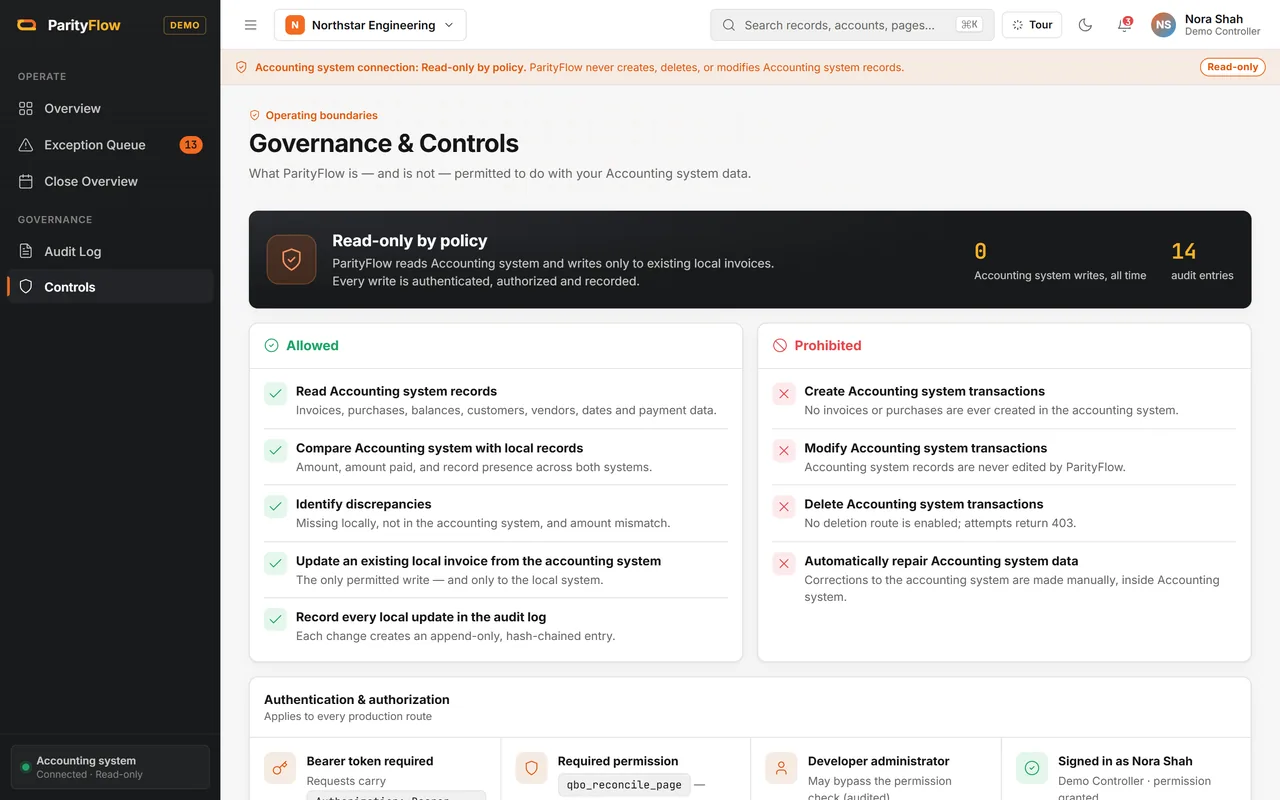
The controls page says what ParityFlow may and may not do. It reads the accounting system and only updates existing local invoices. It never creates, changes or deletes anything in the accounting system.
A log that cannot be rewritten
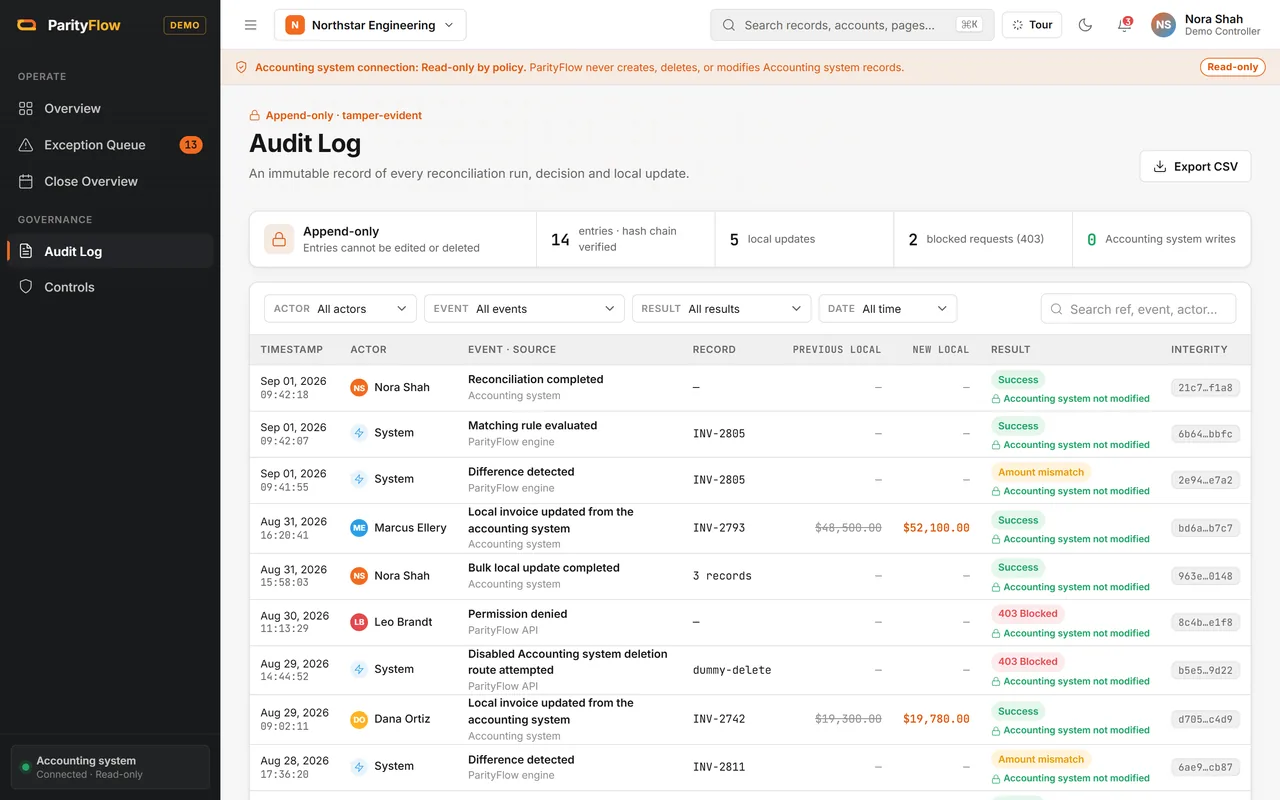
Every reconciliation run, decision and local update is written to an append only audit log, each entry linked to the one before it.
What it commits to
- Read onlyNever writes to the accounting system
- Side by sideInternal and accounting records compared field by field
- Chained logEvery decision recorded and linked to the last
Want to click through ParityFlow yourself? We give private, login protected demos on request.
Ask for a private demo