Ledgerloom
A/R statement automation
Overview
Ledgerloom turns an accounts receivable aging report into statements clients can read. It pulls the data, checks it before anything is built, puts every statement in front of a person for approval, and then generates the files.
A prototype on fictional data. Names, companies and figures in these screens are invented.
From aging report to statements
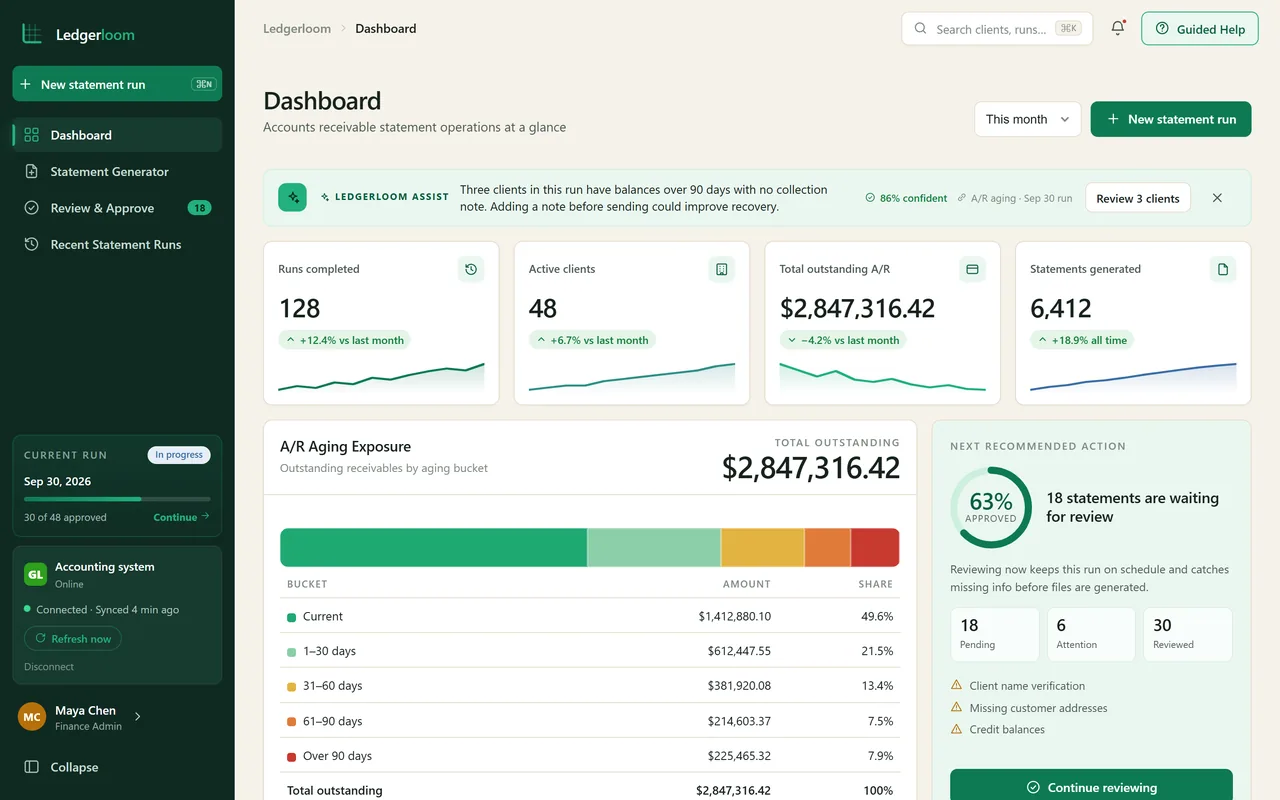
A statement run starts from the A/R aging report. Ledgerloom reads it from the accounting system or from an uploaded file, and the dashboard shows what is outstanding and what still needs review.
Preflight comes first
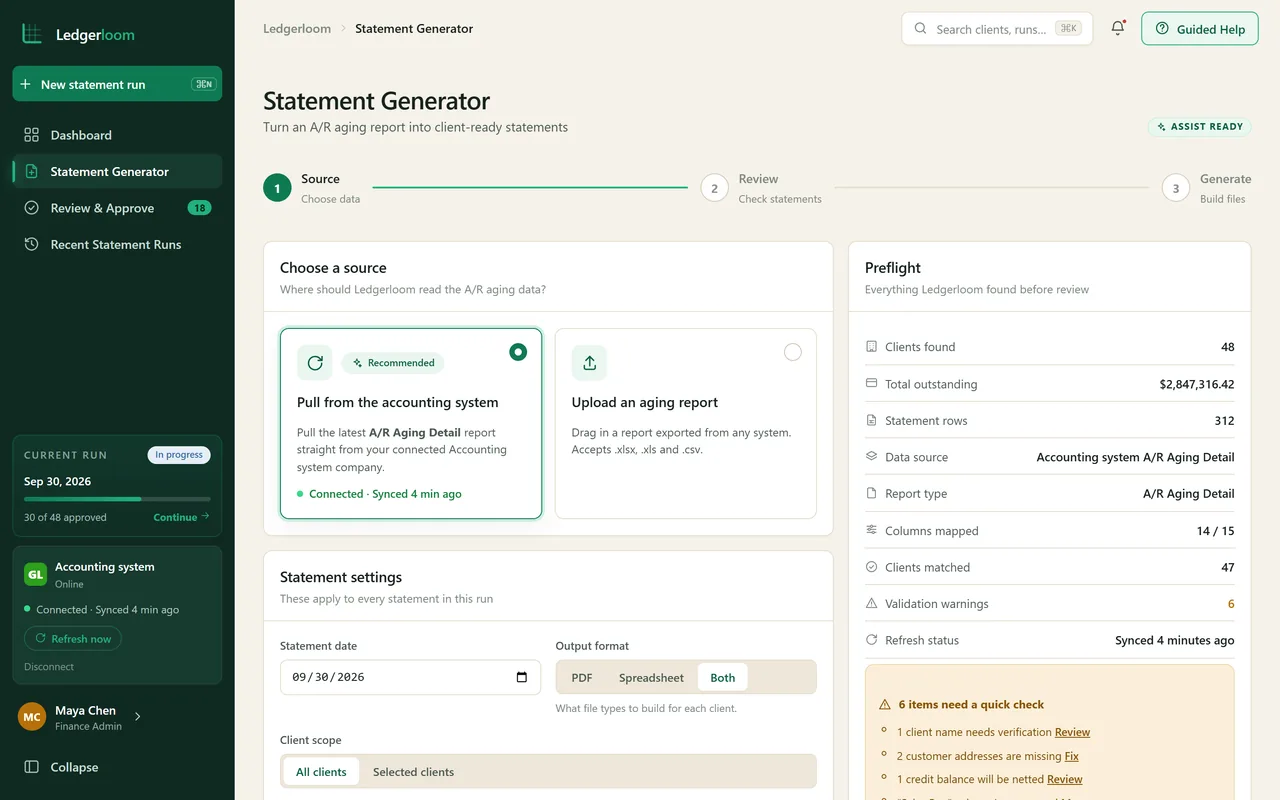
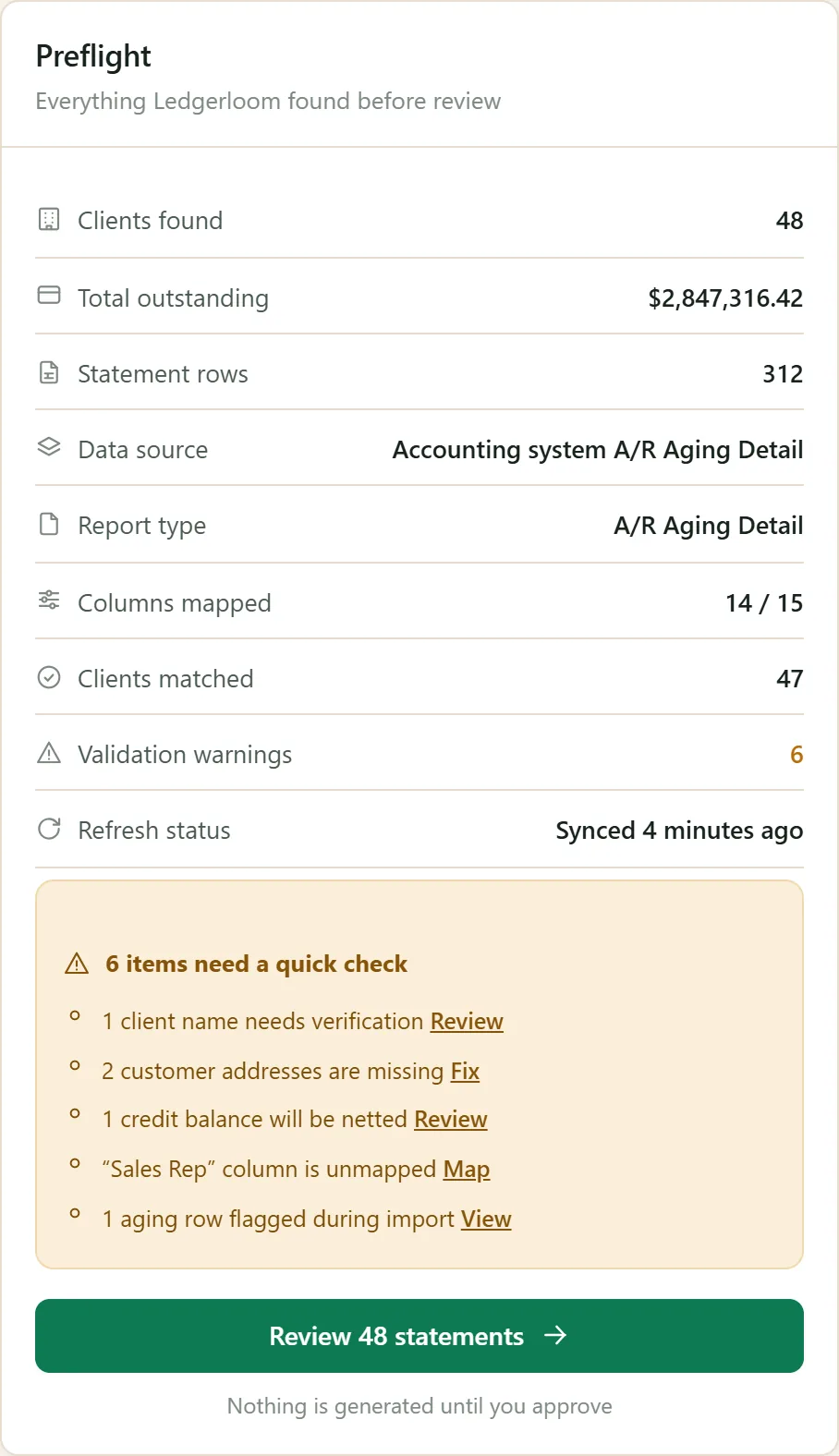
Before a single statement is built, a preflight check counts the clients, maps the columns and lists what needs a quick fix, like a missing address or a client name to verify.
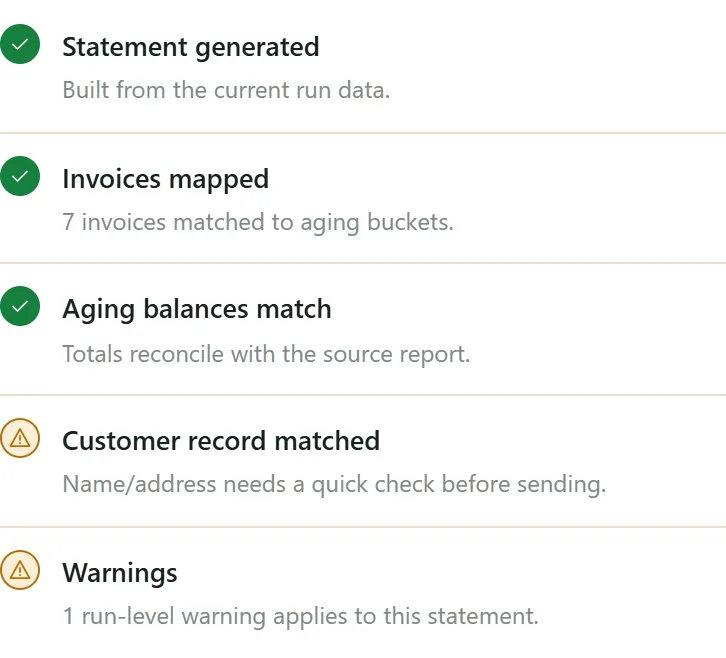
A person approves every statement
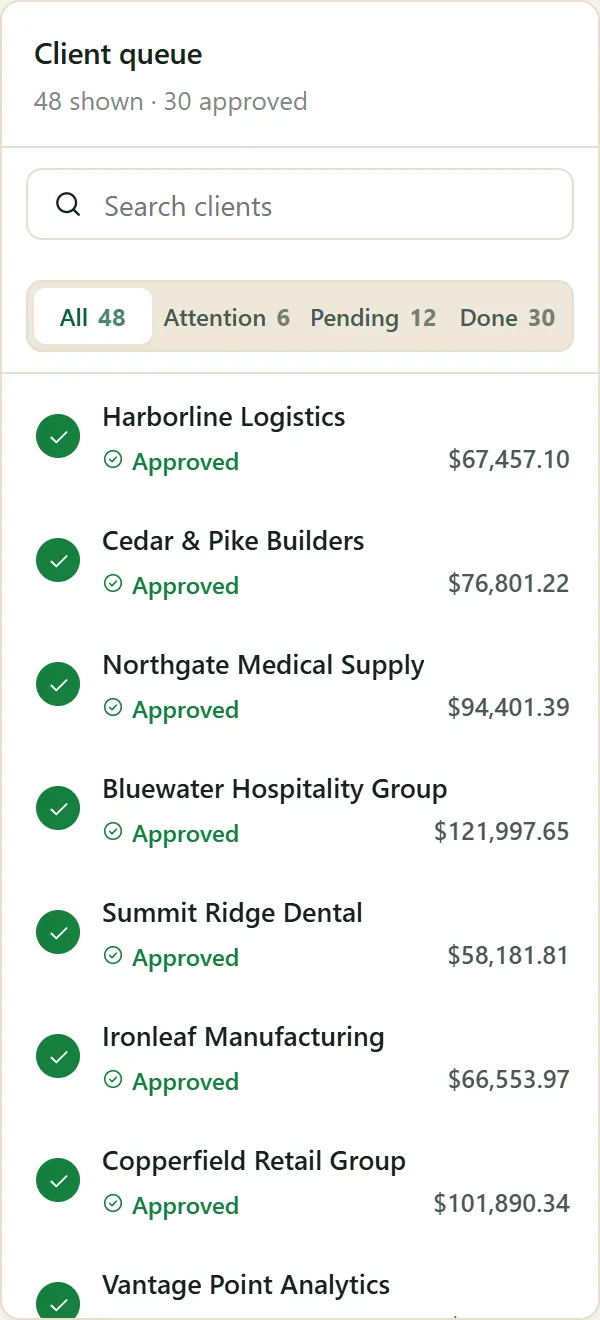
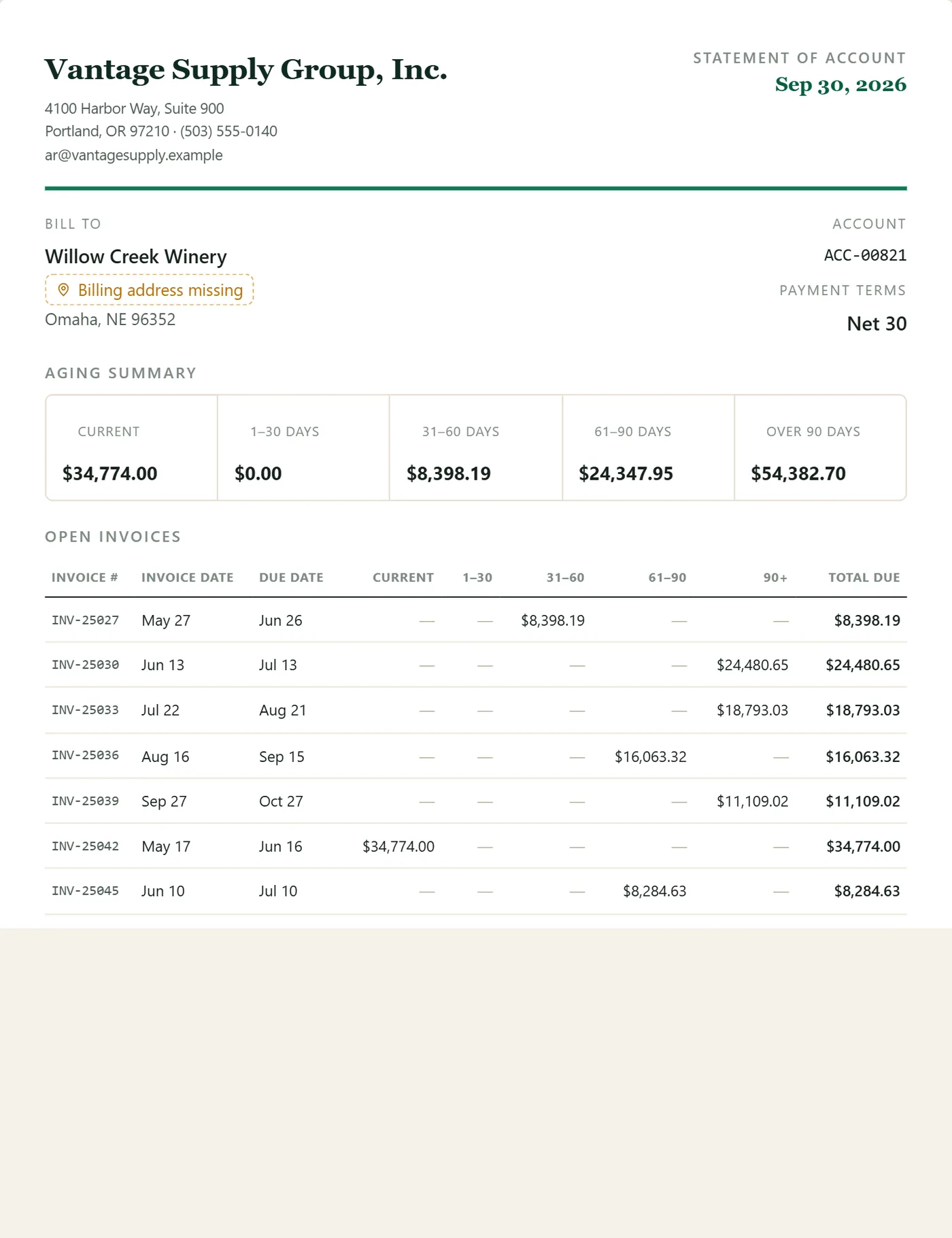
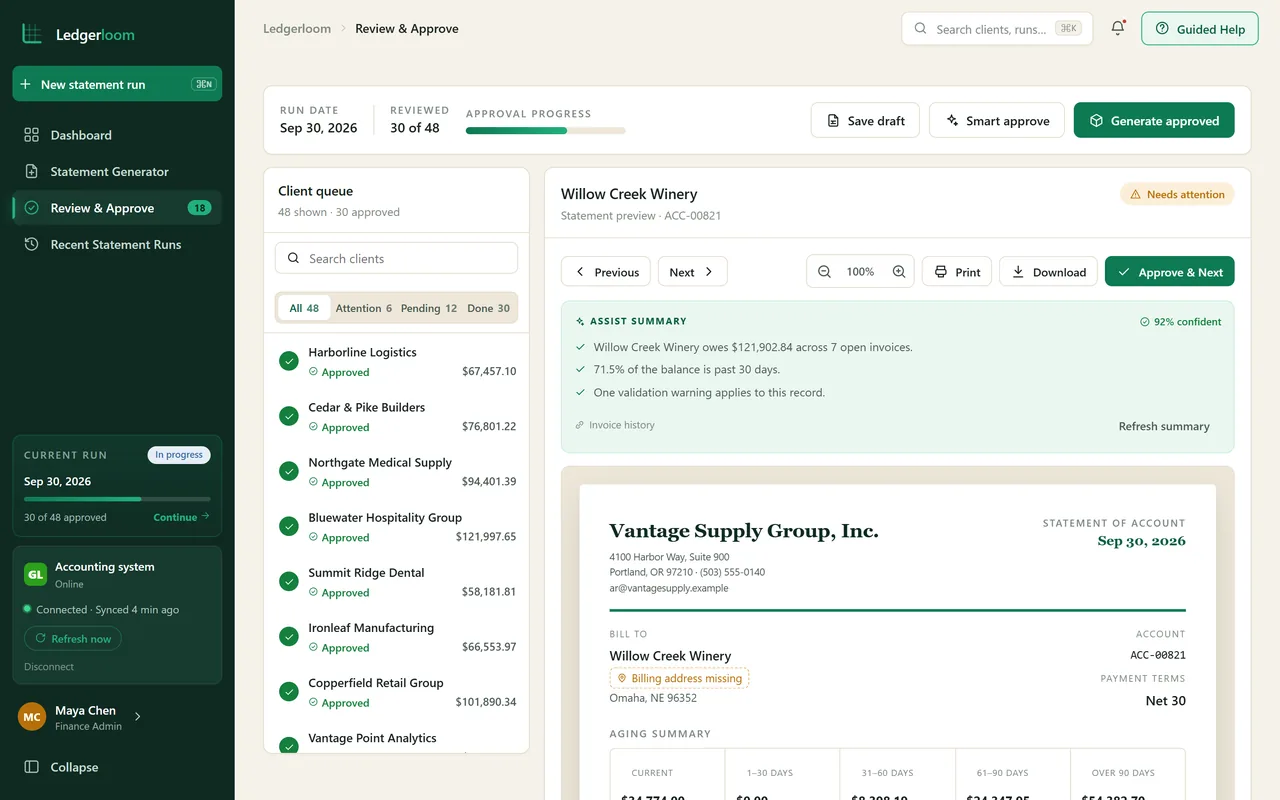
Each statement opens next to the client queue with a live preview. Nothing is generated until someone has reviewed it and pressed approve.
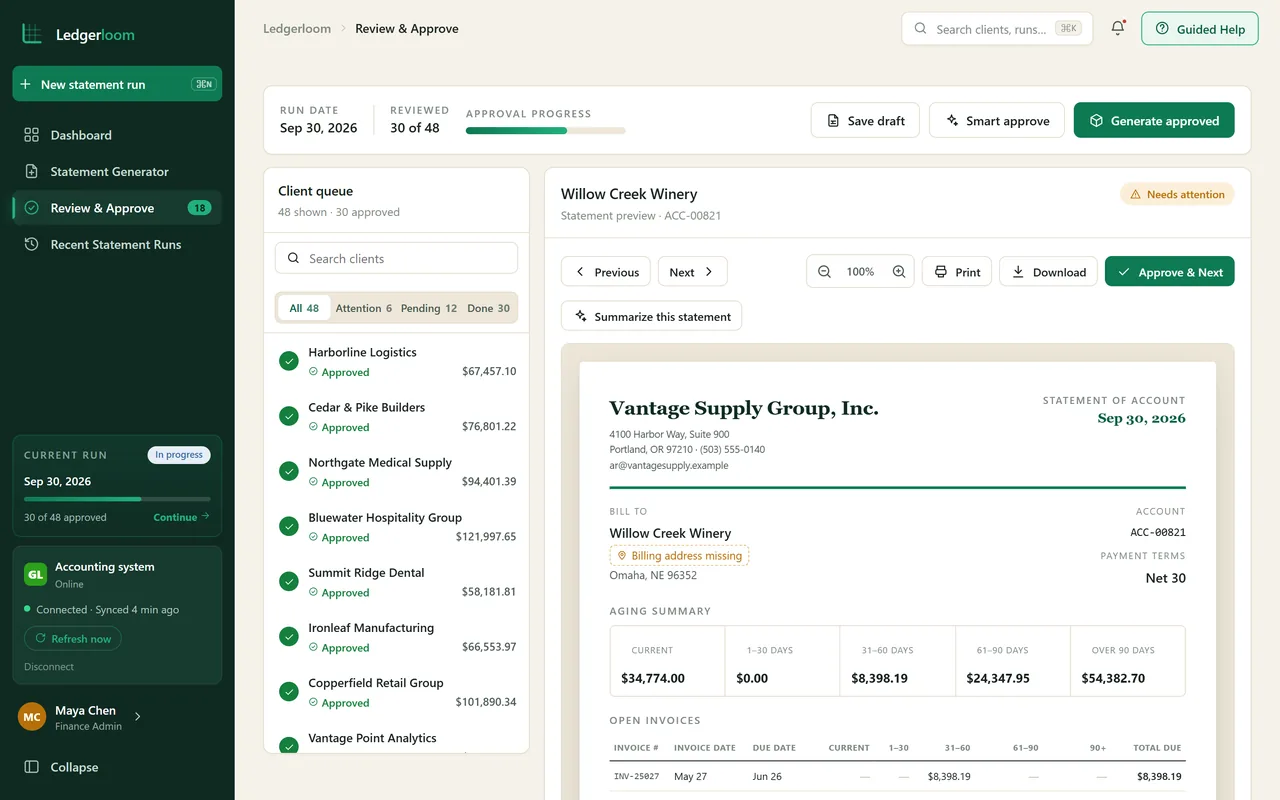
Assist drafts, people decide
Assist summarizes a statement and prepares the cover email. It shows how sure it is, and a person always decides what is sent.
Every run on record
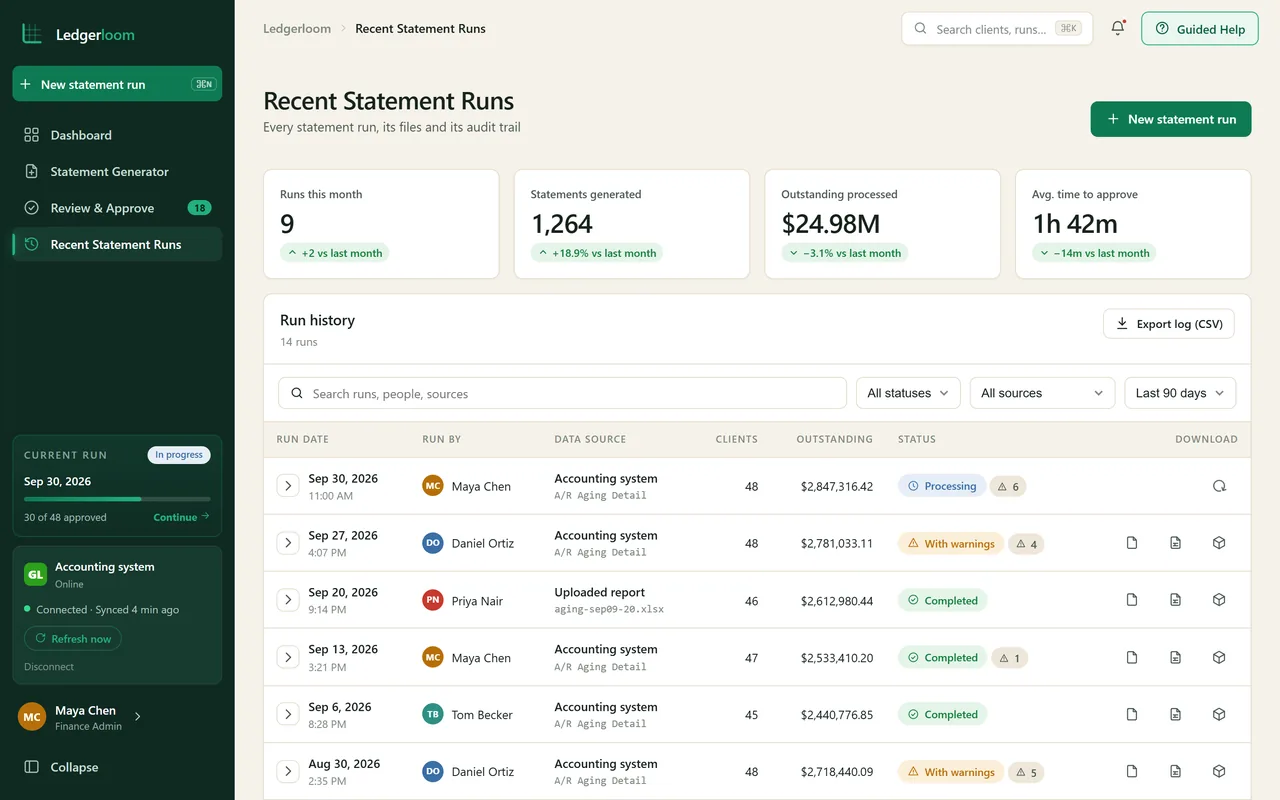
Each run keeps its files, its data source and the person who ran it, so finance can see what went out and when.
What it commits to
- PreflightThe data is checked before any statement is built
- ApprovalEvery statement is reviewed before it is generated
- AssistSummaries and cover emails drafted for a person to send
Want to click through Ledgerloom yourself? We give private, login protected demos on request.
Ask for a private demo